
搜索 (Search)
搜索允许用户在应用中快速查找信息。M3 提供了两个配对使用的组件:SearchBar 和 SearchView。
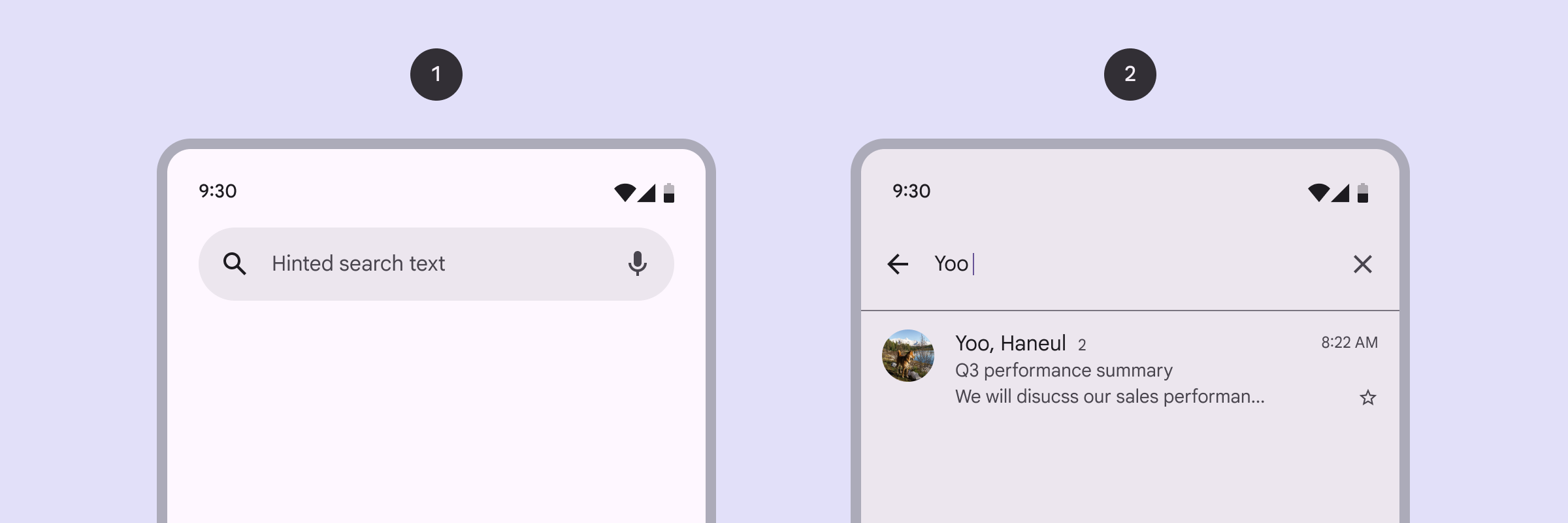
核心概念
- Search bar (搜索栏): 屏幕顶部的常驻输入入口。
- Search view (搜索视图): 全屏模态窗口,点击搜索栏后展开,显示搜索历史、建议和结果。
代码实现
基础用法 (组合使用)
xml
<androidx.coordinatorlayout.widget.CoordinatorLayout ...>

    <!-- 1. 搜索入口 -->
    <com.google.android.material.search.SearchBar
        android:id="@+id/searchBar"
        android:layout_width="match_parent"
        android:layout_height="wrap_content"
        android:hint="搜索..." />

    <!-- 2. 展开后的全屏搜索界面 -->
    <com.google.android.material.search.SearchView
        android:id="@+id/searchView"
        android:layout_width="match_parent"
        android:layout_height="match_parent"
        android:hint="搜索内容"
        app:layout_anchor="@id/searchBar">

        <!-- 这里放置搜索历史或结果列表 (如 RecyclerView) -->

    </com.google.android.material.search.SearchView>

</androidx.coordinatorlayout.widget.CoordinatorLayout>
kotlin
// 监听搜索提交
searchView.getEditText().setOnEditorActionListener { v, actionId, event ->
    searchBar.setText(searchView.getText())
    searchView.hide()
    false
}
滚动行为
滚动隐藏
你可以将 SearchBar 放在 AppBarLayout 中,并配合 app:layout_behavior="@string/searchbar_scrolling_view_behavior" 实现滚动时自动隐藏/悬浮的效果。
交互监听
- 状态转换: 通过
SearchView#addTransitionListener监听视图的展开 (Showing) 和隐藏 (Hiding)。 - 预测性返回: M3 搜索视图原生支持 Android 14+ 的预测性返回手势。
核心属性
| 属性 | 描述 | 默认值 |
|---|---|---|
app:backgroundTint | 搜索框背景色 | ?attr/colorSurfaceContainerHigh |
app:hideNavigationIcon | 是否隐藏左侧图标 | false |
app:autoShowKeyboard | 展开时是否自动弹出键盘 | true |