
轮播图 (Carousels)
轮播图包含可以进入或移出视图的项目集合。它强调视觉效果,非常适合展示电影、商品或照片。
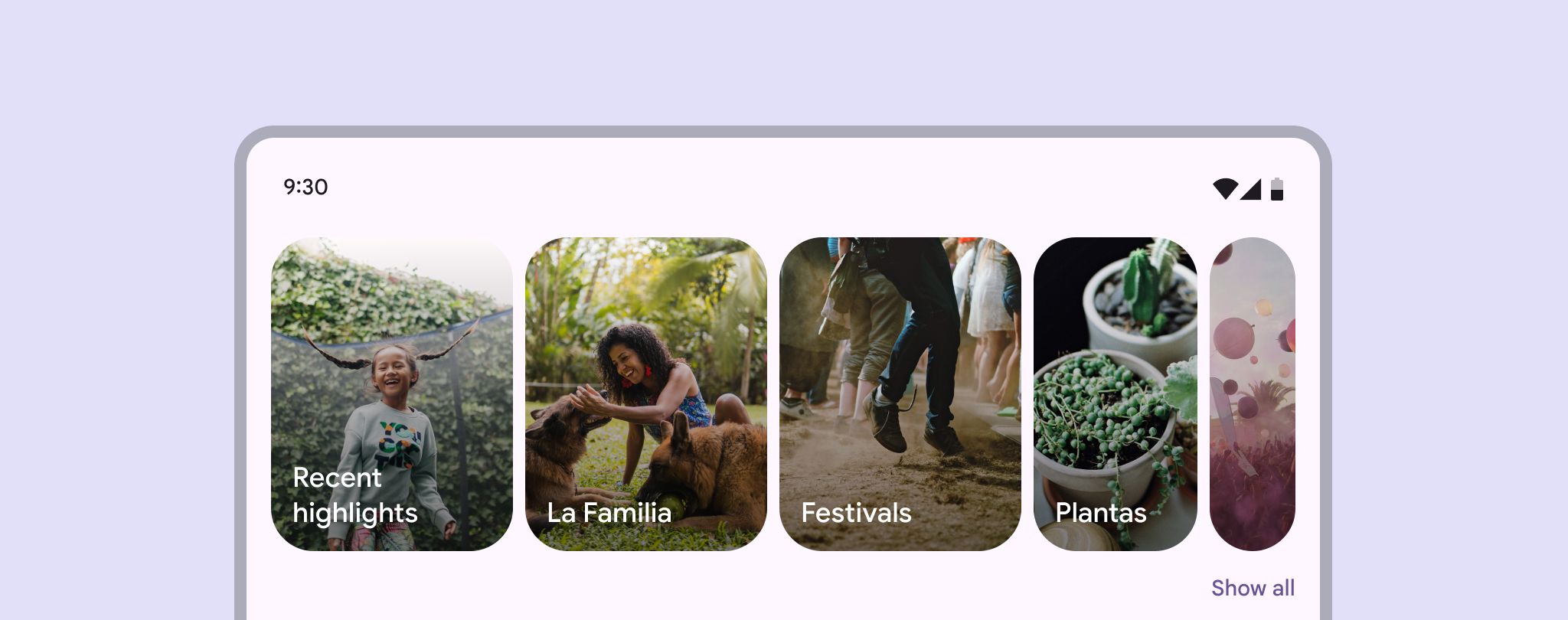
布局策略
M3 提供了四种内置布局策略:
- Multi-browse: 同时显示大、中、小多种尺寸的项目。
- Uncontained: 项目可以滚动到容器边缘。
- Hero: 突出显示一个巨大的主体项目。
- Full-screen: 每次只显示一个填满屏幕的项目。
代码实现
Carousel 基于 RecyclerView 构建,需要配合 CarouselLayoutManager 使用。
1. 定义 Item 布局 (XML)
每个 Item 必须用 MaskableFrameLayout 包裹,这是 Carousel 产生裁剪动画的关键。
xml
<com.google.android.material.carousel.MaskableFrameLayout
    android:id="@+id/carousel_item_container"
    android:layout_width="150dp"
    android:layout_height="match_parent"
    app:shapeAppearance="?attr/shapeAppearanceCornerExtraLarge">

    <ImageView
        android:id="@+id/carousel_image"
        android:layout_width="match_parent"
        android:layout_height="match_parent"
        android:scaleType="centerCrop" />

</com.google.android.material.carousel.MaskableFrameLayout>
2. 初始化 RecyclerView
kotlin
val recyclerView = findViewById<RecyclerView>(R.id.carousel_rv)

// 默认是 Multi-browse 策略
recyclerView.layoutManager = CarouselLayoutManager()

// 设置对齐方式
recyclerView.layoutManager.setCarouselAlignment(CarouselLayoutManager.CENTER)
kotlin
// 强烈推荐添加 SnapHelper,让项目自动停靠
val snapHelper = CarouselSnapHelper()
snapHelper.attachToRecyclerView(recyclerView)
核心属性
| 属性 | 描述 | 默认值 |
|---|---|---|
android:orientation | 方向 (horizontal / vertical) | horizontal |
app:carouselAlignment | 对齐方式 (start, center) | start |
app:shapeAppearance | Item 裁剪形状 | ?attr/shapeAppearanceCornerExtraLarge |
交互监听
你可以监听 Mask 的变化来执行自定义动画(例如:让标题文字跟随裁剪位置移动):
kotlin
maskableFrameLayout.setOnMaskChangedListener { maskRect ->
    titleView.translationX = maskRect.left
}